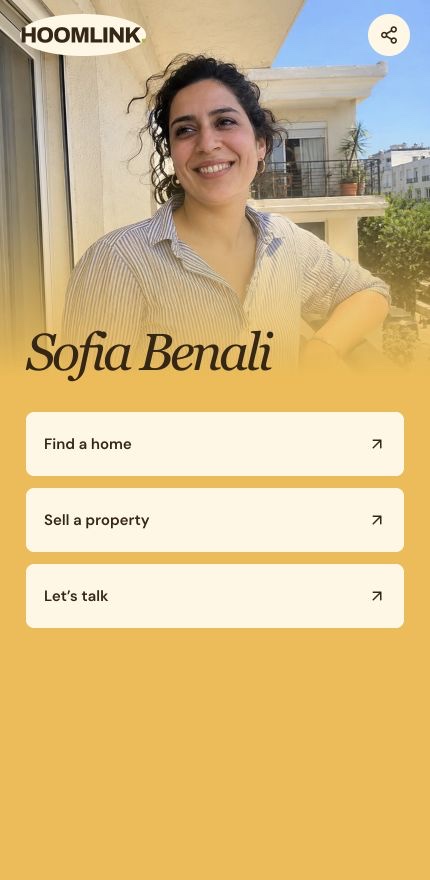
Teach one thing that helps an agent. Show how Hoomlink fits. Give them a clear next step.
Hoomlink brings listings, inquiry forms and useful links into a personal real estate page, with an app to manage contacts and follow-ups. Try the page and workspace before recommending them.
Every Hoomer can be an affiliate, including Free users. You earn 35% recurring commission on eligible referred Pro subscription payments while those subscriptions remain active.
The signup-to-commission journey is a product view. Signup, referral tracking, payments and payouts aren’t connected on this website. Use view labels when recording it.
Make the templates yours.
Add your area and page link before copying. Your details stay in this page.
Give your bio a job.
Who you help. Where you work. What the link opens.
A bio for an agent
Homes in [your area]
Browse homes or tell me what you need
Available properties ↓
A bio for a creator
I help agents improve the click after the Reel
Property pages, content & practical tutorials
See the Hoomlink example ↓
Put your Hoomlink in your profile’s website field.
Make the home from your latest video easy to find.
Keep property details and availability current.
Pin a helpful tutorial, a page demo and an answer to a real question.
The bio checklist
The bio checklist
Open your profile as a visitor.
1. Can I tell who you help and where?
2. Do I know what the bio link opens?
3. Can I find the home from your latest video?
4. Are the details and availability current?
5. Is the next action clear?
6. Does a test enquiry reach you?
What are you posting next?
Choose a format. Find an idea. Make it sound like you.
31 templates
Copy-ready starting points. Use your own footage, keep the affiliate disclosure and label any product view.
Real estate agents are cooked…The shock hook · 20–30 sec
Real estate agents are cooked… if the home in their Reel disappears after the click.
Open your bio. Can a buyer find that exact home? Here’s a Hoomlink example: the property, its details, then one next step.
Open [your Hoomlink] to see the page.
Ad · I may earn a commission if you subscribe through my Hoomlink.
What to show
Face camera for the opening. Cut straight to the bio → matching listing → viewing-request destination. Keep the relevant screen detail large.
Your Reel worked. Your link didn’t.The page audit · 20–30 sec
Your Reel worked. Your link didn’t.
The viewer came for this home. Your bio sends them to five unrelated buttons. Try this: put the matching home first, make its details clear, and give them one action.
Here’s how that journey can look on Hoomlink. See the example at [your Hoomlink].
Ad · I may earn a commission if you subscribe through my Hoomlink.
What to show
Use your own before-and-after page. Circle the extra searching, then show the cleaner route. Don’t invent traffic or enquiry numbers.
The 10-second bio testA useful tutorial · 20–30 sec
Give your bio the 10-second test.
Can someone tell where you work, find a home and understand what to do next? If one of those is missing, fix it before your next property tour.
I’ve put a Hoomlink example here: [your Hoomlink].
Ad · I may earn a commission if you subscribe through my Hoomlink.
What to show
Record one uninterrupted phone journey. Show identity, area, property, action. Ten seconds is a challenge to try, not a proven benchmark.
Show the home before the formBetter enquiries · 20–30 sec
Before asking for someone’s number, show them what they came for.
The home. The price. The area. The availability. Then a clear invitation to request a viewing. That gives the conversation a starting point.
Explore this Hoomlink example: [your Hoomlink].
Ad · I may earn a commission if you subscribe through my Hoomlink.
What to show
Show an authorized listing, then the request destination. Use an actual tested form or contact link in your live page.
This home sold. The Reel is still working.Keep old content useful · 20–30 sec
This home sold. The Reel is still getting watched.
Keep the status honest. Then give the visitor another useful option: similar available homes or a way to describe their search.
That’s the journey to build from your Hoomlink. See the example: [your Hoomlink].
Ad · I may earn a commission if you subscribe through my Hoomlink.
What to show
Old Reel → clearly marked sold listing → available alternatives. Don’t present a sold property as available.
Got 10 homes or fewer to show? Start with the page you actually need.
Hoomlink Free supports up to 10 listings. Put the properties and your useful links together, then check the experience on your phone.
See my page at [your Hoomlink]. Want your own? Tap Join Hoomlink.
Ad · I may earn a commission if you subscribe through my Hoomlink.
What to show
Show the catalogue and the small referral popup. Focus on the useful page before discussing an upgrade.
Free links or a property page?An honest comparison · 25–35 sec
A free links page might be all you need. But watch what happens when someone wants to browse homes.
Compare the property photos, the details and the next step. Hoomlink is built around that real estate journey.
Try the page at [your Hoomlink] and decide if it fits your work.
Ad · I may earn a commission if you subscribe through my Hoomlink.
What to show
Compare the same visitor task on your own pages. Show equivalent free or paid tiers and label them.
Your first form asks too muchA form tutorial · 20–30 sec
Your first form might be asking questions you don’t need yet.
For a viewing request, start with the home, their name and one way to reply. Ask about timing if it helps you arrange the visit. Save the rest for the conversation.
Try the example enquiry journey from [your Hoomlink].
Ad · I may earn a commission if you subscribe through my Hoomlink.
What to show
Show the fields you removed and why. Film a test submission and the received request; hide personal details.
One listing. Four useful videos.Batch your content · 20–30 sec
One listing can answer four different questions.
How does the layout work? What makes the home useful? What’s nearby? What do viewers keep asking?
Record one video for each answer. Send people to the matching home on your Hoomlink: [your Hoomlink].
Ad · I may earn a commission if you subscribe through my Hoomlink.
What to show
Four short, authorized clips: layout, feature, location, answer. Use facts you can check about the property and area.
The little popup on my pageExplain the referral · 20–30 sec
See this little popup? Join Hoomlink.
Every Hoomer is an affiliate. When someone creates an attributed account through your page and pays for an eligible Pro subscription, you earn 35% of their eligible payments, recurring while their eligible Pro subscriptions stay active.
Open [your Hoomlink] to see how it starts.
Ad · I may earn a commission if you subscribe through my Hoomlink.
What to show
Show the popup, then a simple signup → eligible payment → 35% diagram.
Can your page earn while you sleep?Explain recurring income · 25–35 sec
Can your page earn while you sleep? It can keep introducing Hoomlink while you’re away.
The important part: you earn when an attributed referral pays for an eligible Pro subscription. The commission is 35% of those payments, recurring while their eligible Pro subscriptions stay active. A click or a free signup alone doesn’t pay.
See the popup at [your Hoomlink].
Ad · I may earn a commission if you subscribe through my Hoomlink.
What to show
Show the actual page and popup. Explain the payment condition on screen. Keep this about the mechanism, without an income promise.
What could 100 full-year paying Kick Start Pro referrals mean?
At $6.99 per month and 35% recurring commission, that illustrates $2,935.80 a year.
That assumes the same 100 eligible subscribers stay active at that price for all 12 months. It’s a projection, not guaranteed income. Actual commission follows eligible payments.
See the Hoomlink example at [your Hoomlink].
Ad · I may earn a commission if you subscribe through my Hoomlink.
What to show
Keep “projection”, “100 full-year paying referrals” and the assumptions beside the yearly figure. Never show it as an earnings screenshot.
The click after the tourProperty screenshot
Ad · I may earn a commission if you subscribe through my Hoomlink.
You filmed the home. You posted the tour. Now try the next step as a buyer.
Can you find that exact property from the bio? Are the details current? Is the next action obvious?
That’s the journey this Hoomlink page shows. Explore it at [your Hoomlink].
What to show
Use two screenshots: the property from the Reel and its matching page.
A page with one jobPage walkthrough
Ad · I may earn a commission if you subscribe through my Hoomlink.
Your bio page has one job today: help the person who clicked take the next useful step.
For a buyer, that might be a viewing request. For a seller, a way to describe their property. For an agent, a page example they can try.
Here’s mine: [your Hoomlink].
What to show
Highlight the single primary action you want this post to drive.
Start with 10 homesFree plan
Ad · I may earn a commission if you subscribe through my Hoomlink.
A useful property page can start small.
Hoomlink Free gives you space for up to 10 listings. Add the homes, keep their details current, and make the next step clear.
See the example at [your Hoomlink]. Tap Join Hoomlink if you want your own.
What to show
Show a real catalogue with 10 or fewer properties. Use only authorized listing images.
Why the property journey mattersTool comparison
Ad · I may earn a commission if you subscribe through my Hoomlink.
Choose your page around what visitors need to do.
A links page helps people choose a destination. A custom site gives you more control. A real estate page should help someone browse homes and understand the next step.
That’s why I’m showing this Hoomlink example: [your Hoomlink].
What to show
Show the task being compared. A cheaper price alone does not make two products equivalent.
Every Hoomer is an affiliateReferral explainer
Ad · I may earn a commission if you subscribe through my Hoomlink.
Every Hoomer is an affiliate.
Share your page. A visitor taps Join Hoomlink and creates an attributed account. When they pay for an eligible Pro subscription, you earn 35% of their eligible payments, recurring while their eligible Pro subscriptions stay active.
See the small popup at [your Hoomlink].
What to show
A close-up of the popup is enough. Put the eligible-payment condition on the image too.
Free or Pro? Start with the job.A useful plan comparison
Ad · I may earn a commission if you subscribe through my Hoomlink.
Choose the page for the work you do.
Hoomlink Free: 10 listings, 50 stored contacts and three basic styles.
Pro: unlimited listings and contacts, all 15 premade styles, customization, Calendar and tasks.
Pro is $19.99/month. The first 50,000 users get Kick Start at $6.99/month and keep that rate. New users pay $19.99/month after the first 50,000.
See the page before choosing: [your Hoomlink].
What to show
Show the current Free and Pro features. Keep the standard price and Kick Start conditions visible together.
Your Reel deserves a better next step6 slides · page audit
1. Your Reel deserves a better next step.
2. A buyer clicks because they want this home.
3. Put the same home where they can find it.
4. Show its price, area and current availability.
5. Give them one action: request a viewing.
6. See a Hoomlink example: [your Hoomlink]. Ad · I may earn a commission if you subscribe through my Hoomlink.
What to show
Use the same property across all six slides. Put the disclosure on the first slide that introduces Hoomlink, even if you reorder slides.
Build a bio people understand6 slides · checklist
1. Can a stranger understand your real estate bio?
2. Say who you help and where you work.
3. Tell them what the link contains.
4. Show current homes before secondary links.
5. Test one real enquiry from your phone.
6. Explore the Hoomlink page: [your Hoomlink]. Ad · I may earn a commission if you subscribe through my Hoomlink.
What to show
Pair each short point with a real profile or page screenshot.
From a comment to a conversation6 slides · DM tutorial
1. Someone commented BIO. What happens next?
2. Deliver the checklist you promised.
3. Ask one question about what they need.
4. Show the page detail that answers it.
5. Offer a next step. Respect a no.
6. Want the Hoomlink example? [your Hoomlink]. Ad · I may earn a commission if you subscribe through my Hoomlink.
What to show
Use illustrative chat bubbles, labeled example. Automation requires a properly configured external tool and its messaging rules.
How the 35% actually works6 slides · referral explainer
1. Every Hoomer is an affiliate. Ad · I may earn a commission if you subscribe through my Hoomlink.
2. You share your Hoomlink page.
3. A visitor taps Join Hoomlink.
4. They create an attributed account through your page.
5. They pay for an eligible Pro subscription. You earn 35%.
6. You keep earning on eligible Pro subscription payments while they stay active. See the popup: [your Hoomlink]. Clicks and free signups alone don’t pay.
What to show
Use the real popup. Keep “eligible subscription payments” visible with “35%”.
The three-frame page demo3 frames · one link
1. Here’s the home from today’s tour.
2. The details and the next step are on this page.
3. See the Hoomlink example. Link sticker: [your Hoomlink]. Ad · I may earn a commission if you subscribe through my Hoomlink.
What to show
Use a link sticker when available. Label the button “See the page”, so the destination is clear.
Ask what they need3 frames · one question
1. What should your bio help people do: browse homes or request a viewing?
2. Here’s how I’d make that next step clear on a property page.
3. Explore the Hoomlink example: [your Hoomlink]. Ad · I may earn a commission if you subscribe through my Hoomlink.
What to show
Use a poll or question sticker. Reply to the actual answer instead of sending everyone the same pitch.
Show the referral popup3 frames · a natural invitation
1. Ad · I may earn a commission if you subscribe through my Hoomlink.
Want a real estate page like this?
2. Open my page and tap the little Join Hoomlink popup.
3. Start by adding one home and one useful next step. [your Hoomlink]
What to show
Show a close-up of the popup on frame two. Repeat the disclosure on standalone frames that endorse the product.
Answer “Is it free?”3 frames · Free vs Pro
1. Ad · I may earn a commission if you subscribe through my Hoomlink.
Hoomlink Free supports up to 10 listings.
2. Consider Pro if you need more listings or its additional page features.
3. See the page before choosing: [your Hoomlink]
What to show
Keep this about fit. Show the current plan details and repeat the disclosure on promotional frames.
The click after the Reel6 openings
Real estate agents are cooked… if buyers can’t find the home.
Your Reel worked. Your link didn’t.
Where’s the home from your last video?
Your next buyer just clicked. Now what?
A great tour deserves a useful destination.
Stop making buyers solve your bio.
Make it yours
Pick one opening, then immediately show the useful answer. Add your disclosure when the content endorses Hoomlink.
Fix the page6 openings
Try your own bio as a stranger.
One screen. What am I supposed to do?
Your page can ask one clearer question.
Can a buyer spot the property on their phone?
Your best listing is buried under five buttons.
Before you post again, test this click.
Make it yours
Pick one opening, then immediately show the useful answer. Add your disclosure when the content endorses Hoomlink.
Capture the enquiry6 openings
Show the home before asking for the number.
Does your first form need all those questions?
A viewing request is a better start than “contact me”.
The next step should match the video.
This home sold. Give the viewer another option.
A comment is the beginning of a conversation.
Make it yours
Pick one opening, then immediately show the useful answer. Add your disclosure when the content endorses Hoomlink.
Teach something useful6 openings
One listing. Four questions worth answering.
Here’s what I would put above your listings.
The best demo is the visitor’s actual journey.
Show me the property, then show me the action.
Your next post might already be in your DMs.
Make the page easier before making more content.
Make it yours
Pick one opening, then immediately show the useful answer. Add your disclosure when the content endorses Hoomlink.
Introduce Hoomlink6 openings
10 homes or fewer? Start with a free page.
Free links or a property page? Try the journey.
Every Hoomer is an affiliate. Here’s how.
This small popup can introduce the next Hoomer.
35% of what? Let’s make the commission clear.
Your page can introduce Hoomlink while you’re away.
Make it yours
Pick one opening, then immediately show the useful answer. Add your disclosure when the content endorses Hoomlink.
No matching ideas yet.
Try “bio”, “referral” or “viewing”, or search all formats.
A simple way to film it
Hook → proof → demo → one invitation. Start with a specific problem, show the screen, then explain the next step. Treat the suggested durations as starting points.
Record vertically. Keep the important screen detail large and captions readable. Use authorized property images and contact records prepared for your tutorial.
Film two openings for the same useful demonstration. Compare attention, page visits and actual inquiries over similar periods; use the results to choose your next topic.
Keep the conversation useful.
Answer their question first. Deliver the resource. Offer one relevant next step.
A “BIO” comment should lead to a real checklist. Ask before sending an unsolicited resource, keep follow-ups relevant and respect a refusal.
They comment “BIO”
They comment “BIO”
Here’s the bio checklist you asked for:
1. Say who you help and where.
2. Show current homes.
3. Make the next action clear.
4. Test a real enquiry on your phone.
Which part of your page are you working on?
They ask for an example
They ask for an example
Here’s the Hoomlink example: [your Hoomlink]. Look at how the page shows the homes and the next step. Would you use it mainly for property enquiries or to present your work?
Ad · I may earn a commission if you subscribe through my Hoomlink.
They want their own page
They want their own page
Open [your Hoomlink] and tap the small Join Hoomlink popup. Start with one home and one useful action. Hoomlink Free supports up to 10 listings.
Ad · I may earn a commission if you subscribe through my Hoomlink.
“I already have a website.”
“I already have a website.”
If the site already makes it easy to find the home from your Reel, keep that journey. A focused bio page is worth considering when visitors have to search. Here’s the Hoomlink example if useful: [your Hoomlink].
Ad · I may earn a commission if you subscribe through my Hoomlink.
“Will this get me clients?”
“Will this get me clients?”
Hoomlink gives visitors a real estate page with homes, details and useful links. Enquiries also depend on your audience, offer and follow-up. I’d test the journey and count actual requests received.
Ad · I may earn a commission if you subscribe through my Hoomlink.
“Linktree is free.”
“Linktree is free.”
Yes, and a free links page can be enough. If you want people to browse property listings, compare that task on Hoomlink Free too. Pick the page that fits your visitors.
Ad · I may earn a commission if you subscribe through my Hoomlink.
A useful follow-up
A useful follow-up
Did you find the part you needed? If you want, tell me what your page should help visitors do and I’ll point you to the relevant example.
If you use an external comment-to-DM service, check its current platform rules and test resource delivery. This guide doesn’t send messages or automate replies.
Keep the click in context.
The next screen should answer the reason they clicked.
They watched a home tourThe matching property + a viewing request
They are looking to buyA short search brief
They want to sellA seller inquiry with one way to reply
They want a page like yoursYour Hoomlink + the Join Hoomlink invitation
Viewing request
Viewing request
I’d like to view [property reference].
Name: [name]
Best way to reach me: [email or phone]
Preferred timing (optional): [timing]
Request confirmation
Request confirmation
Thanks for your viewing request for [property]. I’ll reply via [channel] by [realistic time] to discuss availability. Your viewing is confirmed once we agree a time.
Buyer search
Buyer search
I’m looking for a home in [area].
Budget range: [range]
Buy or rent: [choice]
Name: [name]
Reply to me at: [email or phone]
Timing (optional): [timing]
Seller inquiry
Seller inquiry
I’d like to discuss a property in [area].
Property type: [type]
Name: [name]
Reply to me at: [email or phone]
What I need help with (optional): [details]
Help them take the next step.
Deliver the example they requested. Ask whether they need listings, inquiries or useful links. Show the relevant part, then invite them to create a page. Help a new Hoomer add their name, area, one home and one useful action before adding the page to their bio.
For a property inquiry, use what the person already submitted. Answer the question and agree a next action. A viewing request becomes an appointment once you confirm its availability and timing.
Use Free when 10 listings and 50 stored contacts fit. Discuss Pro when unlimited listings, customization or Calendar and tasks meet a real need.
Explain the 35% clearly.
Your page introduces the next Hoomer. Eligible paid subscriptions generate commission.
Share useful content and your Hoomlink.
A visitor taps Join Hoomlink and creates an attributed account.
They take an eligible paid Pro subscription.
You earn 35% on eligible payments while they stay active.
Clicks, property inquiries and Free signups alone do not generate subscription commission. Attribution and payout rules still need to be confirmed. Commission depends on attributed, eligible payments.
100 active Kick Start Pro referrals$2,935.80/ year
$6.99/month per subscriber × 100 × 35%, with monthly commission rounded once, then multiplied by 12. Assumes the same referrals stay active at the same price all year. Illustrative, not guaranteed income.
Pro is $19.99/month. The first 50,000 users get Kick Start at $6.99/month and keep that rate. New users pay $19.99/month after the first 50,000.
Kick Start and standard Pro have different prices. Use the price the referred subscriber actually pays. Agency revenue and seat fees are outside these examples.
After a tutorial
After a tutorial
Want to see what I mean? Here’s the property page example: [your Hoomlink].
Ad · I may earn a commission if you subscribe through my Hoomlink.
After a page demo
After a page demo
Want a page like this? Open [your Hoomlink] and tap Join Hoomlink.
Ad · I may earn a commission if you subscribe through my Hoomlink.
When someone asks which tool
When someone asks which tool
For the page, I’m showing Hoomlink. Look at how the homes and useful links are organized, then decide whether it fits your work: [your Hoomlink].
Ad · I may earn a commission if you subscribe through my Hoomlink.
The “while you’re away” angle
The “while you’re away” angle
Your page can introduce future Hoomers even when you’re away. You earn 35% when an attributed user makes an eligible subscription payment, and keep earning on their eligible subscription payments while they stay active.
Ad · I may earn a commission if you subscribe through my Hoomlink.
A simple affiliate disclosure
A simple affiliate disclosure
Ad · I may earn a commission if you subscribe through my Hoomlink.
Keep the affiliate disclosure beside the recommendation and visible in promotional video frames. For current product details, use Plans & pricing.
One week to get moving.
Start with one useful idea. Build a routine you can repeat.
Day 1
Fix and test your page
Use the bio audit and follow the full visitor journey.
Day 2
Record a useful Reel
Choose a page walkthrough or a problem you can show.
Day 3
Answer the response
Deliver requested resources and reply to real questions.
Day 4
Make a carousel
Turn the same useful lesson into a short slide sequence.
Day 5
Show it in Stories
Use a page example and one relevant invitation.
Day 6
Explain the referral
Show Join Hoomlink and the eligible-payment condition.
Day 7
Review the journey
Compare visits, actual inquiries and paid referrals separately.
Your first week
Your first week
Day 1: Fix and test the page. Use the bio audit. Send one real test enquiry.
Day 2: Record one useful Reel. Choose the shock hook or a page walkthrough. Prepare the CTA destination.
Day 3: Answer the response. Reply to real questions. Deliver requested resources.
Day 4: Make a carousel. Turn the same useful lesson into six slides.
Day 5: Show the page in Stories. Use one relevant link or a question sticker.
Day 6: Explain the popup. Show how someone creates their own page; make the payment condition clear.
Day 7: Review the journey. Compare attention, page visits, enquiries and attributed payments separately.
The full 30-day plan
The full 30-day plan
Days 1–7: Complete the first-week plan. Choose one problem and test the full journey.
Day 8: Record a second opening for your most useful Reel.
Day 9: Answer a real buyer question with a property clip.
Day 10: Follow up in relevant, active conversations.
Day 11: Show the current Free plan and who it fits.
Day 12: Improve one confusing page label.
Day 13: Answer one real objection in Stories.
Day 14: Compare the two openings and actual enquiries.
Day 15: Film the sold-home journey if relevant.
Day 16: Share the referral-popup explanation.
Day 17: Show a short viewing-request route.
Day 18: Turn one property into four content angles.
Day 19: Reuse the best lesson as a post.
Day 20: Help an interested Hoomer finish one useful page.
Day 21: Check attribution and actual payments where available.
Day 22: Teach comment → resource → relevant conversation.
Day 23: Answer the free-tool question.
Day 24: Show a seller enquiry route if relevant.
Day 25: Recheck official prices before any comparison post.
Day 26: Explain a yearly projection with all its assumptions.
Day 27: Ask an interested user what remains unclear.
Day 28: Review enquiries and eligible payments separately.
Day 29: Remake the most useful topic with fresh footage.
Day 30: Reconcile actual commissions and choose the next experiment.
Your weekly tracker
Your weekly tracker
Period:
Content / channel:
Goal (property enquiry or Hoomlink referral):
Views or reach:
Profile / page visits, if available:
Enquiries actually received:
Attributed Hoomlink signups, if available:
Eligible paying referrals:
Commission approved:
Commission paid:
The main question people asked:
One change to test next:
Make one recording do more.
Pick three real questions. Capture the page once, then record two openings per topic. Turn the useful part into a Reel, a carousel and a Story, adapting each to its format. Track the conversations and eligible payments that actually happen.